Passwordless and passkeys for US businesses: Sixty nine seconds becomes three, and there is nothing for a phishing page to steal.
The published figures are unusual. Synced passkeys sign people in fourteen times quicker than a password followed by traditional multifactor. Ninety nine percent of users get through registration. Sign-in succeeds ninety five times out of a hundred, where legacy methods manage thirty. Security controls almost never make things faster. This one does.
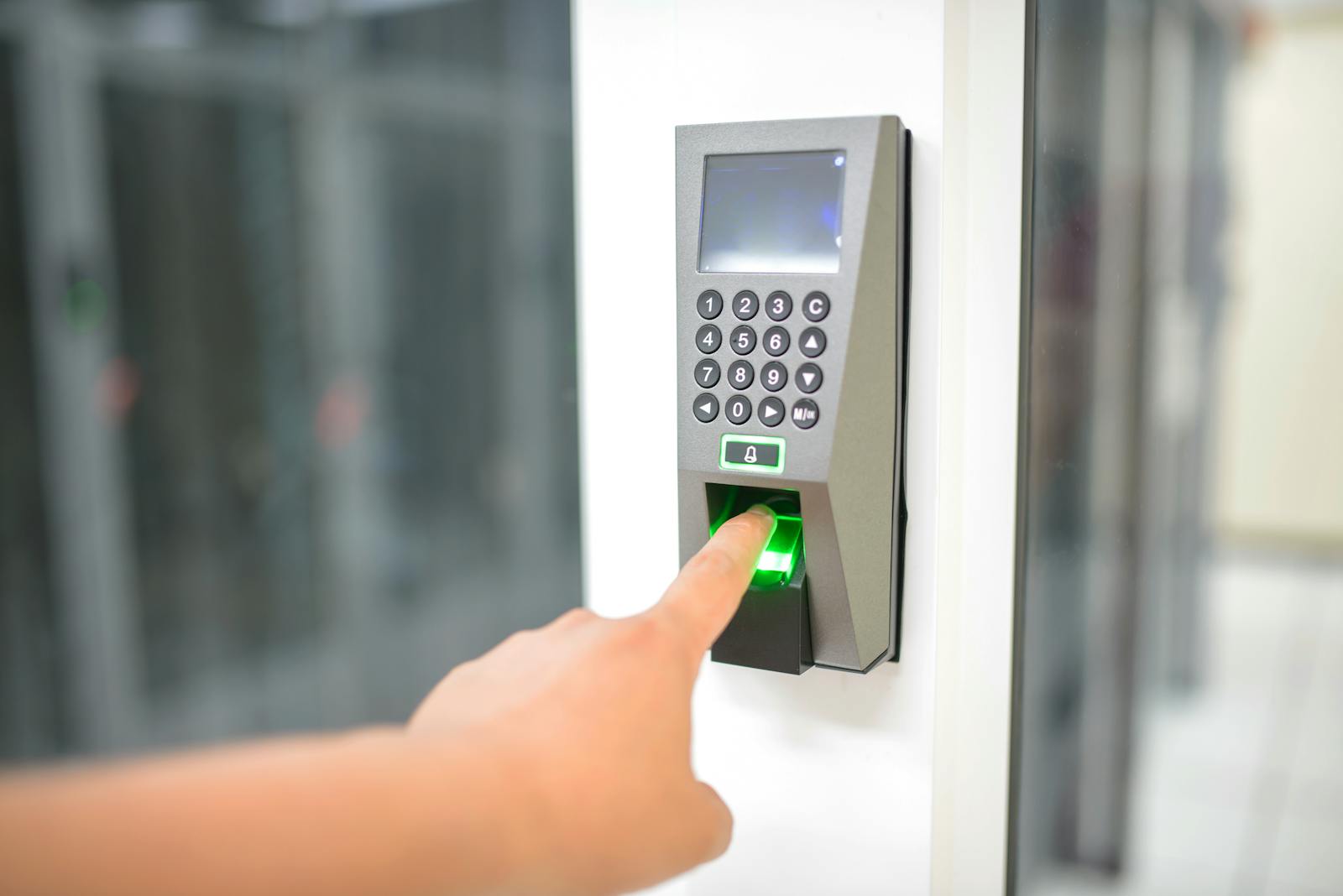
- 3 secondsVersus 69 for password plus MFA
- Phishing-resistantPasskeys, not codes
- 95% vs 30%Sign-in success against legacy methods
- Phishing resistantOrigin-bound, cannot be replayed
Eight properties of passkeys that shape how a rollout should be built.
The numbers, which are unusually specific
These numbers come from hundreds of millions of consumer Microsoft accounts, which makes them unusually well evidenced. Registration succeeds for ninety nine percent of users. Sign-in takes three seconds against sixty nine for a password plus traditional multifactor, a fourteen fold difference. And people complete sign-in ninety five percent of the time compared with thirty percent on legacy methods. It is rare for one change to move security and usability in the same direction this decisively.
Origin-bound, which is why phishing fails
Two properties do the work: public key cryptography bound to an origin, and a requirement for local interaction from the user. Together they make a passkey close to unphishable. Your device keeps the private key, the site keeps the public one, and the pair functions only on the site or application it was created against. However convincing a counterfeit login page looks, a passkey registered for the genuine site simply will not work on it.
Verifier impersonation resistance, in plain terms
Put another way, the authenticator hands its secrets only to the relying party the passkey was registered against, never to something impersonating that party. That single property is what breaks adversary-in-the-middle tooling, and adversary-in-the-middle tooling is the reason a great deal of traditional multifactor authentication is considerably weaker in practice than the organizations relying on it assume.
Device-bound and synced, and the difference matters
With a device-bound passkey the private key is generated on one physical device and never leaves it. Microsoft Authenticator and FIDO2 security keys are the examples given. A synced passkey encrypts the key locally and then syncs it to a cloud passkey provider, with Apple iCloud Keychain and Google Password Manager named in the documentation. Either is a substantial improvement on anything phishable. Which one fits depends entirely on who is using it.
Attestation, the setting that forces the choice
The documentation is unambiguous. Synced passkeys carry no attestation support. Attestation is enforced at the passkey profile level. And once you enable it, only device-bound passkeys are permitted, with synced passkeys shut out entirely. No other choice in a passkey deployment carries as much weight, because this one decides whether your users can simply use the device unlock already sitting in their pocket.
Microsoft's own guidance on who gets which
The recommendation for FIDO2 security keys is aimed at heavily regulated industries and at anyone holding elevated privileges. The documentation is candid about the trade, noting they raise costs across equipment, training and helpdesk support, with lost keys and the account recovery that follows being the usual driver. Outside those populations, synced passkeys are positioned as the convenient and inexpensive route away from traditional multifactor.
Cross-device sign-in without registering everywhere
Three usage patterns are supported: on the device holding the passkey, across devices by scanning a QR code, or through a FIDO2 security key. That range matters more than it first appears. Shared machines, people moving between a personal phone and a company laptop, and the ordinary situation of needing to sign in on a machine that is not your own are all covered by it.
Standards that are not Microsoft only
The underlying standards are FIDO2, with WebAuthn handling the browser side and the client to authenticator protocol handling communication with the authenticator itself. These were built by security specialists across the industry to interoperate. What that buys you in practice is a credential model that keeps working outside the Microsoft estate, which cannot be said for most authentication upgrades.
Attestation or synced passkeys. The platform will not give you both at once.
The documentation leaves no room here. Attestation is unsupported by synced passkeys, and turning attestation on at the passkey profile level locks them out. Every other decision in the rollout descends from this one.
- Turn attestation on and you gain device identity you can verify cryptographically through the FIDO Metadata Service, which lets you check the authenticator model and write policy that admits certified devices only. The cost side is that every single user then needs a device-bound passkey, which realistically means a security key or Microsoft Authenticator, and behind that sits the equipment budget, the training and the recovery workload.
- Permit synced passkeys and you get the ninety nine percent registration figure and the three second sign-in, for the simple reason that people are using the face or fingerprint unlock already configured on their phone. What you trade away is provenance. Unattested passkeys, whether synced or device-bound, tell you nothing verifiable about the device behind them.
- Most businesses end up running both, split by population. Attestation gets enforced on administrators, on the people approving payments, and on anyone working inside a heavily regulated function. Everyone else gets synced passkeys. A control adopted by ninety nine percent of your workforce is worth more than a stronger one that half of them find a way around.
- None of this is a technical question. It is policy design, and it should be settled before a pilot begins. Changing your mind later forces everybody to register again, and that is exactly where these rollouts burn through the goodwill they depend on.
Four things that determine whether a passwordless rollout finishes.
We settle the attestation question before anything else
Because switching attestation on removes synced passkeys from the picture completely, it changes what each user needs and what the whole program costs. We settle it at the start and settle it per population rather than tenant-wide, since the answer that works is almost always attestation for administrators and privileged accounts with synced passkeys behind everyone else.
We start with the population where the risk is highest
This means administrators, the people who approve payments, and anyone holding access to a system whose compromise would genuinely hurt. Security keys are the documented recommendation for elevated privilege users. The population is small enough that equipment and training stay affordable, and the risk it removes is the largest single reduction on the table.
We design the recovery path before the pilot
A lost phone or a misplaced security key is not an edge case, it is an ordinary weekday. The documentation says as much, calling out account recovery from lost keys as a driver of helpdesk cost. So the recovery process gets written and rehearsed, break-glass path for administrators included, before the first credential is registered rather than after the first person is locked out.
We find what will block you before you commit
When one of these programs stops halfway, the cause is nearly always the same: legacy applications, on-premises systems and third-party services that never learned modern authentication. Finding them in week one lets you scope the rollout to what can genuinely go passwordless and put the remainder on its own track, instead of walking into that wall three months in.
Six US situations where passwordless is the right next move.
A regulated firm with privileged users to protect
FIDO2 security keys carry a specific recommendation for heavily regulated industries and for elevated privilege accounts. Banks, lenders, insurers and any firm sitting under NYDFS Part 500 or the FTC Safeguards Rule get a lot from this: attested device-bound passkeys issued to administrators and approvers is a narrow change affecting few people that removes a disproportionate amount of risk.
An organization that has already been phished successfully
An intrusion that succeeded despite multifactor being switched on is nearly always a relay or an adversary-in-the-middle attack. This is the exact failure passkeys close, because verifier impersonation resistance stops the authenticator handing anything to a party impersonating the real one.
A large frontline workforce with high password reset volume
Store staff, hotel teams, drivers and facilities crews sign in rarely, forget their passwords reliably, and account for a large slice of every service desk queue. The published ninety five percent sign-in success against thirty percent on legacy methods delivers the most value in precisely this population, because it is where the current failure rate starts highest.
An organization where MFA fatigue prompting is a real risk
Firing push notifications at somebody until one gets approved works, and it works because approving is one tap with no context attached to it. A passkey demands the user be present and unlock the credential on the machine they are actually signing in from. There is no prompt sitting there waiting to be approved by accident or out of sheer fatigue.
An estate with shared devices or people between machines
Think shift patterns, shared terminals, and staff moving between a personal phone and a company laptop. Because cross-device sign-in works through a QR code, nobody has to register a credential on every machine they might sit down at. That removes one of the more practical objections raised against passwordless in operational settings.
An organization trying to reduce authentication friction
Very few security changes get requested by the people subject to them. This one does, once they have tried it. Three seconds against sixty nine is not a rounding difference, and a ninety nine percent registration figure means nobody spends the quarter chasing stragglers. If security has historically been a difficult internal sell, this is the project that changes how the function is regarded.
How authentication actually works in most US organizations.
| Feature | Passkeys deployed | Password plus MFA | Password only |
|---|---|---|---|
Resistant to a convincing fake login page | Yes | No | No |
Resistant to relay and adversary in the middle | Yes | No | No |
Resistant to SMS interception | Yes | Depends | Not applicable |
Resistant to MFA fatigue prompting | Yes | Partly | Not applicable |
Typical sign-in time | 3 seconds | 69 seconds | Faster, and unsafe |
Reported sign-in success rate | 95% | 30% for legacy methods | Not comparable |
Password reset burden on the helpdesk | Reduced | Unchanged | High |
Device provenance available | With attestation | No | No |
Works across cloud and on-premises resources | Yes | Yes | Yes |
Frequency in the US mid-market | Rare | Common | Still common |
The two credential types compared only where they genuinely diverge.
Consideration
Where the private key lives
- Device-bound
- One physical device, never leaves it
- Synced
- Encrypted locally, synced to a cloud provider
Consideration
Examples named by Microsoft
- Device-bound
- Microsoft Authenticator, FIDO2 security keys
- Synced
- Apple iCloud Keychain, Google Password Manager
Consideration
Supports attestation
- Device-bound
- Yes, where the authenticator is certified
- Synced
- No, stated explicitly
Consideration
Device provenance
- Device-bound
- Yes, when attested
- Synced
- No
Consideration
Microsoft recommends for
- Device-bound
- Highly regulated industries, elevated privilege users
- Synced
- Most users outside those environments
Consideration
Cost profile
- Device-bound
- Equipment, training and helpdesk, especially on lost keys
- Synced
- Described as a low-cost alternative
Consideration
Recovery when the device is lost
- Device-bound
- Account recovery process needed
- Synced
- Available on other devices with the provider
Consideration
Phishing resistance
- Device-bound
- Yes
- Synced
- Yes
Five steps, and the policy decision comes before the pilot.
- 1
Decide the attestation policy, per population
Since attestation enforced at the passkey profile level shuts synced passkeys out completely, this choice dictates what each user has to carry. Rather than one tenant-wide answer we split it by population: attested device-bound passkeys for administrators and elevated privilege accounts, synced passkeys across the wider workforce.
- 2
Find the blockers
We look for legacy applications, on-premises systems and third-party services incapable of modern authentication, and for any group of people without a device that could hold a credential. This is the step that produces an honest scope. Skipping it is the single most common reason these projects reach sixty percent and stop there permanently.
- 3
Design and test recovery before registering anybody
Five scenarios get written down and rehearsed: a lost phone, a lost security key, a new starter, a leaver, and a break-glass path for administrators that has actually been tested. Since lost keys and the account recovery that follows are called out as a helpdesk cost, this process has to exist on paper and a real person has to have walked it end to end.
- 4
Pilot with the privileged population
A small population, carrying the highest risk, with the strongest motivation to make it work, and the best equipped to describe a problem clearly rather than route around it in silence. This is where the hardware, the enrollment journey and the recovery process meet reality for the first time.
- 5
Roll out broadly, then reduce password reliance
Synced passkeys go out to the wider workforce, where registration rates run high and the experience does the persuading for you. After that comes a slower and quite separate piece of work: shrinking what a password is still able to do. Adding a better credential and removing the old one are two different projects, and treating them as one is how programs stall.
What US organizations ask about passwordless and passkeys.
Fifteen questions worth answering first.
Policy
- Will you enforce attestation, and for whom?Enforcing it excludes synced passkeys entirely.
- Which populations need device-bound passkeys?Microsoft recommends them for elevated privilege users.
- Are you in a highly regulated function?That is Microsoft's own trigger for security keys.
- Is there a policy on personal devices?Synced passkeys frequently live on a personal phone.
- Will passwords be removed or just deprioritized?Two very different projects.
Device reality
- What proportion of staff have a modern smartphone?Synced passkeys depend on it.
- Are your Windows devices on Windows 11?Relevant to sign-in scenarios and hybrid join.
- Are devices Entra joined or hybrid joined?Determines the single sign-on experience.
- Are there shared or kiosk devices?Cross-device sign-in via QR code helps here.
- Do you have an Apple and Android mix?Both have synced passkey providers.
The fallback path
- What happens when somebody loses their phone?Decide before rollout, not during.
- What is the helpdesk recovery process?Security key loss is more costly to recover.
- Is there a break-glass path for administrators?Tested, not assumed.
- Are legacy applications blocking the move?They usually are, and need identifying early.
- Who is in the pilot group?A pilot group that raises its hand instead of quietly finding another way in.
The pages around this one.
MFA solutions
The wider multifactor landscape, covering the methods passkeys exist to replace and the reasons they stopped being enough.
Conditional Access
Where you express which populations must present a phishing-resistant credential, and under what conditions.
Privileged Identity Management
Strengthening how administrators authenticate is only half the job. The other half is taking away privilege that stands permanently.
Begin with the administrators. Small population, and the biggest single reduction in risk on offer.
Device-bound credentials carry a specific recommendation for elevated privilege accounts, and that group is normally small enough to equip and train inside a fortnight. The rest of the organization follows on synced passkeys, where registration rates run high and nobody needs persuading twice.
Related Services
Explore more solutions that work great with this service
Phishing-Resistant MFA
Phishing-resistant multifactor authentication for US organizations:
Learn moreMFA Solutions
Multi-factor authentication implementation for US businesses on
Learn moreConditional Access Authentication Strengths
The right credential strength for each access decision
Learn moreMicrosoft Entra Conditional Access Design
Conditional Access design and review for US organizations:
Learn moreMicrosoft Entra Privileged Identity Management
Privileged Identity Management deployment for US organizations:
Learn moreMicrosoft Entra
Identity and access management solutions
Learn moreWindows Hello for Business
Device-bound sign-in that replaces passwords
Learn more